1. Open the app — no install needed
BayCast runs in any modern browser. There's nothing to install from the App Store or Play Store. Open baycast.com.au/app on your iPhone, Android, iPad or PC, and add it to your home screen for one-tap launch.
The free version covers chart, wind, tide, catch diary, public marks and the reports feed — that's most of what you need for a day on the bay. Pro is optional for bite forecast, range to spot, fuel cost and trophies.
- iPhone & iPad: open in Safari, tap the share button, choose Add to Home Screen.
- Android: open in Chrome, tap the menu, choose Install app or Add to Home screen.
- PC: bookmark baycast.com.au/app — runs in any browser.
2. Drop a GPS mark — Lowrance, Garmin, Humminbird, phone
This is the feature most anglers ask for. Tap or click anywhere on the chart and BayCast opens the Drop Pin panel.
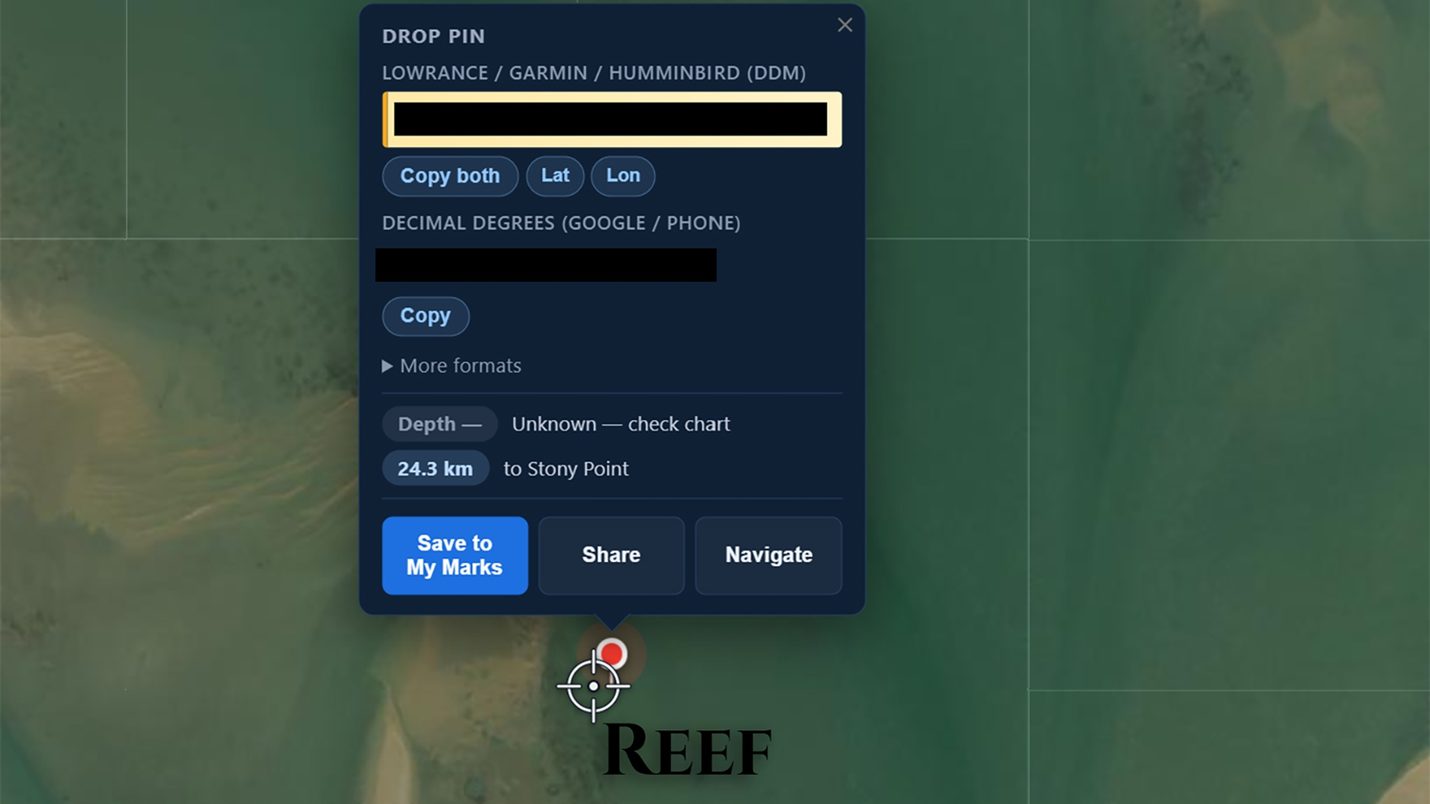
Three formats at once, no faffing
- DDM (Lowrance / Garmin / Humminbird) — the format your plotter actually wants. Tap Copy both, paste into your unit.
- Decimal Degrees (Google / phone) — paste into Google Maps, share over Messenger, drop in a text.
- More formats — DD°M.M', DMS, UTM — for whatever else you run.
- Depth — pulled from the BayCast bathymetry chart so you know what's under the pin before you motor over.
- Distance to nearest ramp — straight-line km, plus fuel cost if you're Pro.
- Long-press (mobile) or click (desktop) anywhere on the chart.
- The Drop Pin panel opens with all formats ready to copy.
- Tap Save to My Marks to keep it. Tap Share to send it to a mate. Tap Navigate for ramp-to-spot routing.
3. The 3D chart — REEDY PRO HD 3D
BayCast is built around a 3D bathymetry chart of Port Phillip Bay and Western Port — every reef, drop-off, weed bed and channel, in colour. It's not a generic worldwide chart. It's our bays, in proper detail.
Switch chart layers depending on what you're after:
- Relief / hillshade — see the seabed contours like a topo map. Best for spotting reefs and drop-offs.
- Nautical — proper marine chart with depth contours and channels. Good for navigation cross-check.
- Satellite — recent satellite imagery for shallow weed and sand patterns.
- Vicmap — the Victorian Government topographic layer for land features and access points.
Pinch-zoom to drill in. The chart is detailed enough to show individual reef pinnacles at high zoom — the kind of structure that holds snapper, KGW and squid.
Important: the BayCast chart is for research before you fish — not for navigation. Always carry a paper chart and a working plotter on the boat.
4. Live wind, tide and bite times
Every angler asks the same three questions before they launch: What's the wind doing? What's the tide doing? Will the fish bite? BayCast answers all three on one screen.
- Wind — live speed and direction, plus a 7-day forecast. Toggle between knots and km/h. The Port Phillip Bay wind observations come straight from the Bureau buoys.
- Tide — full 7-day tide chart for Port Phillip and Western Port. High and low marked. Rip / Heads / Stony Point all referenced.
- Barometer — atmospheric pressure trend. Rising or falling pressure changes bite behaviour. We show you which way it's heading.
- Bite times — solunar bite windows for your location. Major and minor periods marked on the day strip.
5. Boat ramps — wind protection, fees, ramp cameras
BayCast has every public boat ramp on Port Phillip Bay and Western Port mapped, rated and described. Tap a ramp pin to see:
- Wind protection — which winds are safe to launch in, which winds will kill your day.
- Fees and parking — daily fee, season pass, trailer parking notes.
- Ramp cameras — where Boating Victoria has a live cam, we link it. Check the queue from your kitchen.
- Hazards — sandbars, dog-leg approaches, low-tide drama. Local knowledge from anglers who actually launch there.
- Closest ramp from any pin — drop a mark, BayCast tells you which ramp is closest in km.
Full guide: Boat Ramps Port Phillip Bay — wind, tide, ramp cameras.
6. Catch diary & trophies
The catch diary is your private fishing log. Every catch you record stays on your account and never gets shared unless you choose to.
For each catch, you can record:
- Species (snapper, KGW, squid, gummy, salmon, pinkie, trevally, garfish, flathead, etc.)
- Length and/or weight
- Location (saved to your private My Marks, or just a region — your call)
- Bait or lure used
- Conditions (wind, tide stage, barometer — auto-filled from the forecast that day)
- A photo
- Free-text notes — what worked, what didn't, what you'd do differently
Trophies — milestone catches unlock virtual trophies. First snapper over 70cm, first calamari over a kilo, first elephant fish — that kind of thing. Your trophy cabinet is private until you choose to show it.
7. Fishing reports feed — without the Facebook circus
The Reports feed shows recent catches across both bays — what's biting, where, on what bait. No drama, no spam, no "hey mate where's a good spot" replies.
You can:
- Filter by species, location or date range.
- Post your own report with one tap from the catch diary — share the catch without giving up the exact mark.
- See what conditions other anglers caught fish in (wind direction, tide stage, barometer).
It's exactly what we wished Facebook fishing groups were before they turned into a marketplace for outboards.
8. My Marks — your private spot library
Every pin you save with Save to My Marks goes into your private library. Sorted by date, distance from ramp, or species. Searchable. Exportable.
- Tap any saved mark to see it on the chart with depth and distance to ramp.
- Tap Share to send a single mark to a mate without sharing your whole library.
- Pro users can export marks as a file ready for Lowrance, Garmin or Humminbird.
- Your marks are private. We never share, sell or aggregate them.
9. Use BayCast offline — out on the water
Phone signal drops the moment you round the Heads. BayCast handles it.
- Chart, marks and diary work offline once they've been loaded.
- Live wind and tide need a connection — they update when you come back into signal.
- Drop-pin and copy-to-plotter work offline. Save the mark, sync when you're back.
That's it. That's the app.
Free. No install. Built for our bays. Open it on whatever you've got.
Sign up freeFAQ
Is BayCast really free?
Do I need to download an app?
How do I send a GPS mark to my Lowrance, Garmin or Humminbird?
Will it work without internet on the water?
Which areas does BayCast cover?
Are my private fishing spots safe?
How do I get help if something doesn't work?
About Reedy
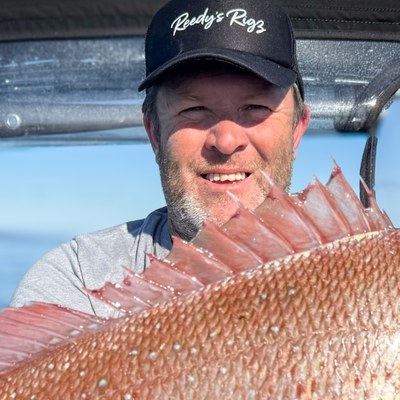
Reedy runs Reedy's Rigs in Frankston, Victoria — Australia's tackle brand stocked at BCF and Anaconda nationwide. He's been fishing Port Phillip Bay and Western Port for over 30 years and built BayCast because the existing apps were generic worldwide tools that didn't fit our bays.